Loading ROI Calculator…
Your numbers, your call
Run the numbers
Put in your sales and the giveback you'd choose. See what it costs, what new customers could add, and what share of your ShopGiv sales would need to be new to break even. Two examples: set 5%, and your giveback on $80 is $4. Set 5% up to $25 a sale, and your giveback on a $1,000 job is $25. It's a projection, not a guarantee.
What could ShopGiv mean for your profit?
Pick your industry and enter your monthly sales. Then set two sliders: how much of your sales are made to ShopGiv shoppers, and how much of that is truly new business. Only new business adds profit. You pay the giveback on ShopGiv sales, new or not. Every number is a projection from your inputs, not a guarantee.
Showing projection for: Automotive repair
Industry average — adjust to your numbers. Source: PartsTech 2025 State of General Auto Repair Shops (752 shops): modal ARO band $500–749; import/European + top performers $700+
New customers per month (from the sliders below): 4.3
+$1,135
Your profit change each month: gross profit from new sales, minus your giveback on all ShopGiv sales and card processing
+$13,622 / year
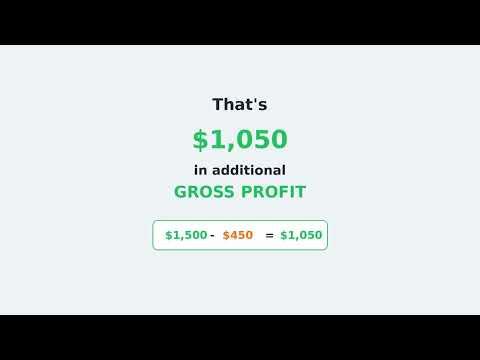
On one customer you attribute to ShopGiv, the giveback is $35 against the $385 gross profit that sale adds.
Added revenue / mo
$3,000
30% of $10,000 ShopGiv sales
Added gross profit / mo
$1,650
at 55% contribution / gross margin
Your giveback / mo
−$500
on all $10,000 ShopGiv sales
Card processing / mo
−$15
on your monthly giveback total
Projection based on your inputs — not a guarantee.
$350
Profit on each new sale — after your giveback, the profit a genuinely new customer adds
$385 contribution / gross margin on a $700 sale − $35 giveback. Projection based on your inputs — not a guarantee.
Incrementality = the share of ShopGiv sales that are genuinely new (sales you would not have had otherwise). It is the model's key assumption — adjust it to your own judgment. Starts at 30%, the most likely value in the calculator's 5%–70% planning range. ShopGiv has not measured this.
The share of each ShopGiv customer's purchase you give to their cause.
Opens at 5.0% — ShopGiv's suggested starting rate for this business type (an estimate). Adjust it to yours.
Your giveback: 5.0% of each sale.
A fixed ad subscription or a shared-lead contract is priced before any job exists. Your giveback is computed from approved sales logged in ShopGiv, on a model and amount you set.
Estimated contribution / gross margin.
1 · New sales / month
+$3,000
30% of your ShopGiv sales — the share you set as genuinely new
2 · Net profit change / month
+$1,135
After your $500/mo giveback and $15 card processing
3 · Net profit / month
$9,000 → $10,135
Estimated net profit before → after ShopGiv
Sales today$100,000
Projected sales with ShopGiv$103,000 (+$3,000 new)
Only the new-customer share is new revenue. Projection based on your inputs — not a guarantee.
Projection based on your inputs — not a guarantee.
Without ShopGiv vs. with ShopGiv
A side-by-side of the same month. Projection based on your inputs — not a guarantee.
| Without ShopGiv | With ShopGiv | |
|---|---|---|
| Monthly sales | $100,000 | $103,000 |
| New sales added | — | +$3,000 (new customers only) |
| Added gross profit on new sales (at your 55% contribution / gross margin) | — | +$1,650 |
| Your giveback | $0 | −$500 |
| Card processing on your giveback | $0 | −$15 |
| Net profit / month | $9,000 | $10,135 |
How it adds up: your net profit without ShopGiv, plus the added gross profit, minus your giveback and card processing (rounded). “Without” uses your 9.0% net margin. New sales use your contribution / gross margin, since fixed costs like rent usually don’t grow with one more sale.
The “new sales added” row counts genuinely-new sales only (30% of your ShopGiv sales) — never every ShopGiv order. Move the incrementality slider to change it.
Break-even: You come out ahead as long as more than 1 in 10 of your ShopGiv sales (10%) would not have happened otherwise. At the 30% you set, you're above the break-even point (9.36%).
Projection based on your inputs — not a guarantee.
This projection reflects how ShopGiv is built to work. ShopGiv is pre-launch: these are modeled results, not observed outcomes.
Whether your giveback is tax-deductible, and how to treat it for tax purposes, is a question for your accountant. ShopGiv doesn't say it is deductible.
Like your numbers? Start your application.Enroll my business →
More ways to run the numbers
Want to go deeper?
The calculator above is the quick version. Two more tools go further: every setting, ad-cost comparisons, and a link you can share.
Pro mode: every lever, one shareable link →
Every setting, a comparison with a published ad cost where one exists for your trade, export, and a link to send your accountant or partner. Projections, not guarantees.
Recruiter mode: answer the objection →
Introducing ShopGiv to a business? Get the plain-language counter to the common objection, the number that wins, and a line to say.
“My margins are too thin”
Dan runs the math on what a giveback actually costs a shop.
Watch Video
ShopGiv | Margins Deep Dive
Questions owners ask
My margins are too thin — won't the giveback eat my profit?
Your giveback is computed on the sale amount your customer logs in ShopGiv, once the sale is approved, including a sale to a customer you already had. The app fills that amount in from the receipt when it can read one (the subtotal if it finds one, otherwise the total) and asks your customer to leave out sales tax. You see the amount, and the receipt if the customer attached one; you can't edit the amount, but you can deny the sale, and a sale you don't respond to can be approved automatically after a few days. You set the rate, and you can change it whenever you want; a new rate applies to sales logged after the change (a commission sale logged without its commission uses the rate in effect when you approve it). Your year-end net margin — what's left after overhead and your own pay — and the margin on one more job are two different numbers, because overhead and your own pay don't change when you take that job. Divide the rate you set by your own margin on a job and you have the share of that job's margin the rate consumes. Now the other side of it, plainly: on a sale that would have happened anyway, the giveback is a straight deduction from margin you had already earned — it reduces your profit. Whether you come out ahead depends on what share of your ShopGiv sales are genuinely new business, and there's no way yet to prove that, so the honest figure is the break-even share — computed from your own rate and your own margin in the calculator above. And the rate you set isn't your whole cost: you also cover the payment processing on your monthly giveback total.
How is my giveback actually calculated?
You pick how your giveback is computed in your setup checklist, after you create your account and before you go live — for example a percentage of the sale or a fixed amount per transaction. A percentage or a fixed amount has no ceiling you set; to cap your giveback, choose “% per sale, capped per sale” (a limit on each sale) or “% of sales, capped monthly” (a limit on your monthly total). You set your own rate, and the ceiling too if you choose a capped model. A percentage is applied to the sale amount your customer logs in ShopGiv, and a fixed amount is owed per sale. Either way, it applies once the sale is approved. The app fills the amount in from the receipt when it can read one (the subtotal if it finds one, otherwise the total) and asks your customer to leave out sales tax. You can't edit the amount, but you can deny the sale; a sale you don't respond to can be approved automatically after a few days. On top of the rate you set, you cover the payment processing on your monthly giveback total — so the rate is not your whole cost, and a little less of every dollar you pay is attributed to the cause than the rate alone suggests. Processing costs more on a card than on a bank transfer, and it weighs heaviest when that total is small. You can change your rate anytime; it applies to sales logged after the change. You can also pause your listing. It's hidden and new sales stop, but sales already logged are still reviewed and billed.
Does ShopGiv actually bring me new customers, or am I just paying a giveback on people who'd have shown up anyway?
Honest answer: there's no way yet to prove a sale was incremental versus a customer who would have come regardless — but you don't need that proof to know the bar you'd have to clear. Take a 5% giveback, a 40% contribution margin and $10,000 a month in approved sales logged in ShopGiv (all three are examples — plug in your own). Counting the payment processing you cover on your monthly giveback total, you come out ahead once more than 13% of your ShopGiv sales are sales you wouldn't have had otherwise (so more than 1 in 7 clears it too). Whether your sales clear that bar is something neither of us can measure yet. Run your own rate and margin in the calculator above: the bar rises as your margin falls, and at some rates and margins it can't be cleared at all.
How does this compare to advertising I already pay for?
A different kind of cost, not a cheaper version of the same one. Lead marketplaces like Angi/HomeAdvisor charge per lead — $15–$85 by Hook Agency's accounting (published May 2025), $25–$120 by Ollyolly's (updated October 2025) — and sell the same lead to several competing shops at once, so you pay whether or not the job ever becomes yours. Google Local Services Ads work out to about $233 per paying customer on the strongest published dataset here (888 contractors, 126,650 leads — Searchlight Digital, 2026). A fixed ad subscription or a shared-lead contract bills you a set amount before any job exists; your giveback is computed from approved sales logged in ShopGiv, at the rate you set. Which is cheaper per customer depends on how many of those sales are genuinely new, and nothing measures that for you yet.
Is any of this a guarantee?
No. ShopGiv is early — there's no track record of realized vendor results to show you yet. The calculator's results are projections built from your own inputs plus published industry benchmarks, clearly cited. The terms above are not projections. 90.5% of each giveback is attributed to the cause the shopper chose; ShopGiv's 9.5% share comes out of the giveback, not on top of it, and funds ShopGiv's operations. Whether your giveback is tax-deductible, and how to treat it for tax purposes, is a question for your accountant. ShopGiv doesn't say it is deductible.